
Mondrian
A free-form engine that randomly subdivides the Jeongja-sal grid. Generate a new layout with one click, then draw or drag lines to refine it.
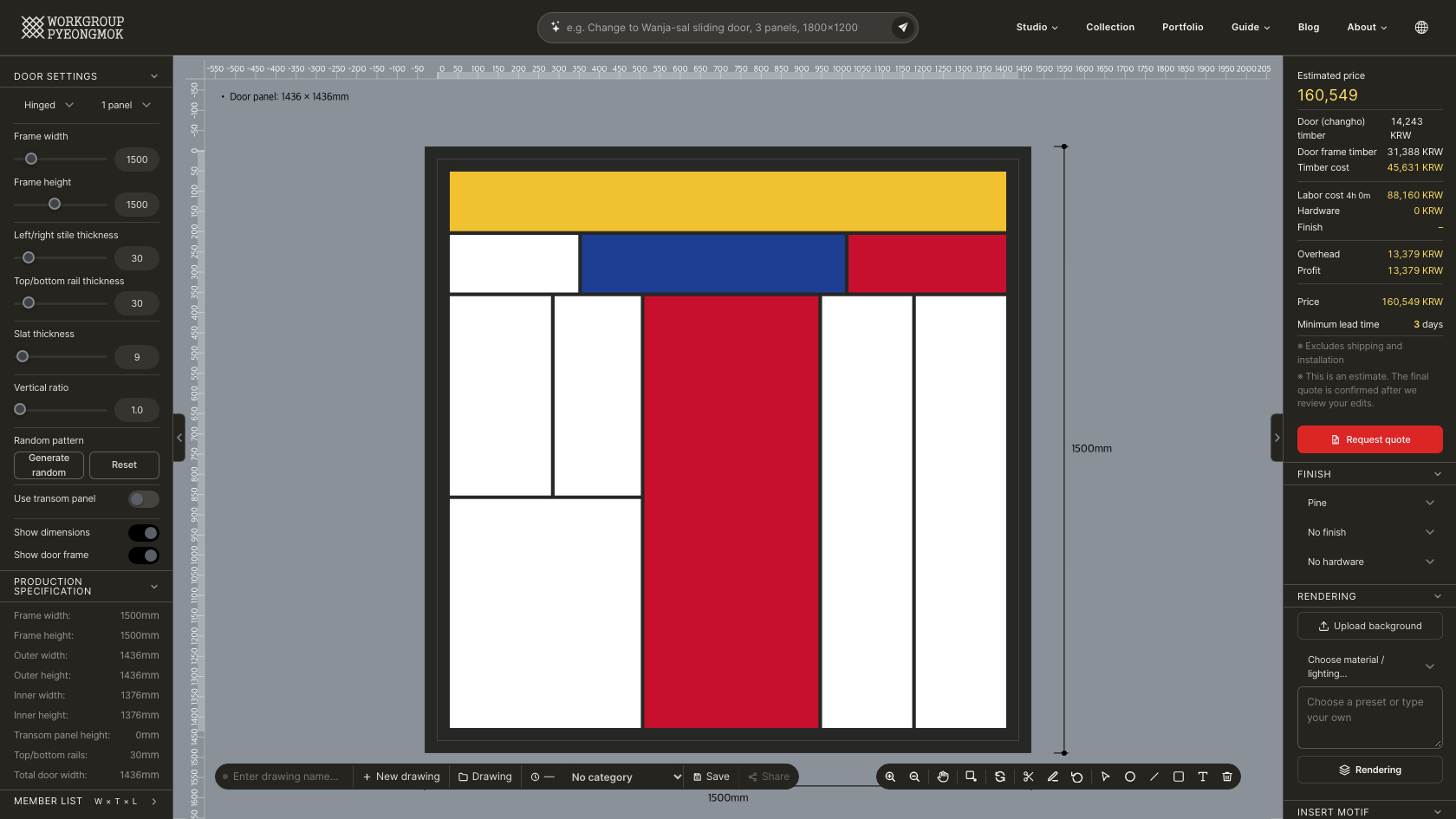
Like Jeongja-sal, it uses only straight horizontal and vertical slats — but instead of repeating even cells, the space is split into rectangles of different sizes, arranged asymmetrically. A new drawing opens with a random layout already in place, so you can regenerate until you like it, or drag lines to fine-tune it.
How It Differs from Jeongja-sal
| Mondrian | Jeongja-sal | |
|---|---|---|
| Cell layout | Rectangles of varying sizes (random division) | Even grid of identical cells |
| Cell count | None — shaped by random generation and line editing | Set by vertical cells and horizontal slat count |
| Drag dividing lines | Yes | No |
| Auto-fit height | No | Yes |
| Slat length (parts list) | Differs per slat, shown as "variable" | One length based on the grid |
Main Parameters
| Item | Description |
|---|---|
| Door type / panels | Hinged or sliding, 1–4 or 6 panels. Frame thickness and clearance are applied automatically to calculate the real panel dimensions. |
| Frame width / height | Wall opening dimensions (mm). The outer panel size is calculated with the frame thickness removed. |
| Stile / rail thickness | Outer frame thickness (mm) |
| Slat thickness | Cross-section thickness of the slats (mm) |
| Vertical ratio | 1.0–3.0. The cell width-to-height ratio that random generation uses as its guide. Higher values produce more tall, narrow cells. |
| Use transom panel | Adds a transom panel zone at the top when checked; its height is set separately |
| Show dimensions / door frame | Choose whether measured dimensions and the frame outline appear on the canvas |
Random Pattern
| Button | Function |
|---|---|
| Generate random | Divides the whole inner area at random to make a new pattern. Each click gives a different layout. |
| Reset | Clears the random pattern and returns to an even grid. Only shown while a random pattern exists. |
Refining Lines
You don't have to keep the random layout as-is — you can adjust it by hand.
| Action | How |
|---|---|
| Move a dividing line | Grab a slat on the canvas and drag it; it moves only vertically or horizontally. The neighboring cells resize with it, so no gaps or overlaps appear. |
| Add a line | Press Add line in the toolbar, then click a start point and an end point. You can start from any point on a slat or the frame, not just intersections, and lines are drawn only vertically or horizontally. |
| Move a drawn line | Lines you drew can be dragged too. Other drawn lines attached to it follow along, and it stays inside the frame. |
| Delete a line | Press Delete line in the toolbar, then click the slat to remove. Click it again to restore it. |
| Reset edits | Reset edits in the toolbar undoes all added and deleted lines and painted panel colors. |
Production Specification & Parts List
Frame width/height, outer and inner width/height, top/bottom rails, transom height and total door width (including overlap for sliding doors) are calculated automatically, as in the other engines. Because cell sizes vary, items that assume an even grid — cell counts, layout lines, half-lap width and stile groove width — are hidden while a random pattern is active. In the parts list, horizontal and vertical slat lengths also differ per slat, so they are shown as "variable" rather than a single value.
Finish & Color
Wood, finish and hardware options, along with frame and slat colors, are the same as Jeongja-sal. Panel fill works here too — click a cell to fill just that one with color.
Example Uses
- Accent partitions for living rooms and cafés
- Irregular changho for contemporary spaces, such as apartment entry doors
- Color-block changho combined with panel fill
Try designing it yourself in the Mondrian studio.
Open the Mondrian engine